Lab-6-1
(34% of the course mark)
Final Project - Tax Calculator App
- In this take-home final exam, you will build a tax calculator app using HTML, CSS, and JavaScript. The tax calculator app should calculate and display both federal and provincial taxes based on the entered income.
Outcomes
-
This take home final exam covers the following concepts:
-
HTML structure and form elements.
-
CSS style declaration.
-
Event handling in JavaScript.
-
Basic arithmetic operations in JavaScript.
-
Basic usage of JavaScript data structures, functions and control flow.
-
JavaScript DOM manipulation to update the display.
-
Async JavaScript processing by consuming a REST endpoint.
-
Mark breakdown
-
HTML coding = 33%
-
CSS coding = 33%
-
JavaScript coding = 33%
-
Bonus Question = 1%
Tax Bracket App
-
Download and extract the file Tax-Bracket-App.
-
Open Visual Studio Code and open the extracted folder: Tax-Bracket-App.
-
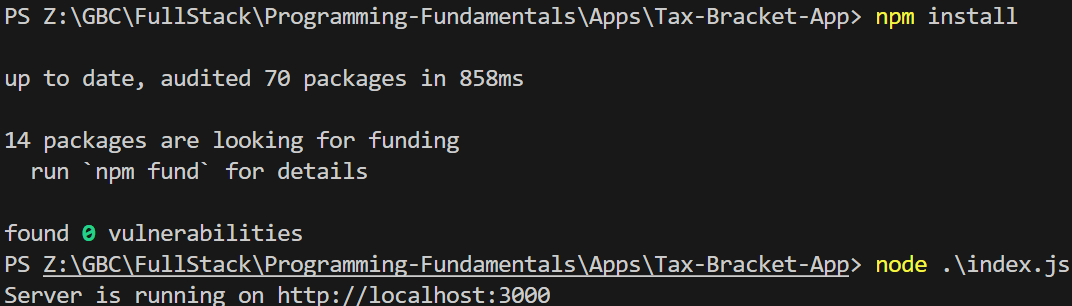
Open the terminal and type the following:
npm install
node index.js
Ensure that the node app is running before you continue.
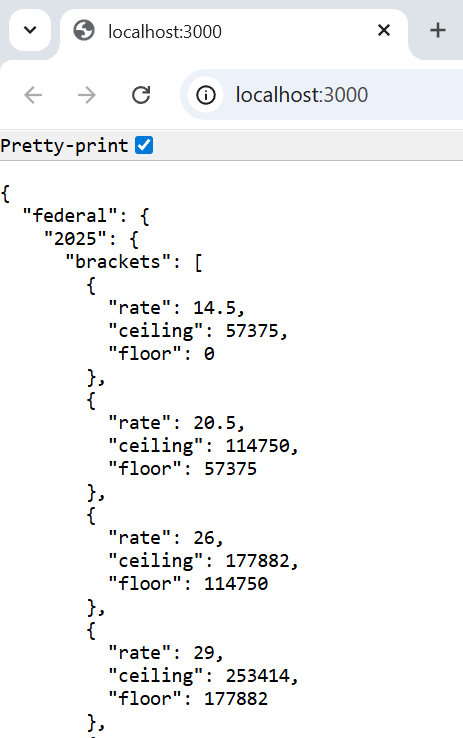
- Test the Tax-Bracket-App by navigating to: http://localhost:3000.
Ensure that you are receiving a valid response from the Tax-Bracket-App. You should see something similar to the example below:
Partial Browser output:
Complete JSON output:
{
  "federal": {
    "2025": {
      "brackets": [
        { "rate": 14.5, "ceiling": 57375, "floor": 0 },
        { "rate": 20.5, "ceiling": 114750, "floor": 57375 },
        { "rate": 26, "ceiling": 177882, "floor": 114750 },
        { "rate": 29, "ceiling": 253414, "floor": 177882 },
        { "rate": 33, "ceiling": -1, "floor": 253414 }
      ]
    }
  },

  "provincial": {
    "Ontario": {
      "2025": {
        "brackets": [
          { "rate": 5.05, "ceiling": 52886, "floor": 0 },
          { "rate": 9.15, "ceiling": 105775, "floor": 52886 },
          { "rate": 11.16, "ceiling": 150000, "floor": 105775 },
          { "rate": 12.16, "ceiling": 220000, "floor": 150000 },
          { "rate": 13.16, "ceiling": -1, "floor": 220000 }
        ]
      }
    }
  }
}
Tax Calculator Requirements
Here is a video demo of the Tax Calculator app.
-
The app shall display a loading message; a spinner may be used instead if preferred.
-
The app shall download the tax bracket JSON file by consuming the REST endpoint from the Tax Bracket app.
-
The app shall display an appropriate error message if it encounters an error or fails to download the tax bracket JSON file.
-
The app shall include an input box where the user can enter income in numeric format.
-
The app shall validate the entered income before performing the tax calculation. If the entered income or the tax calculations results in Infinity (∞), the input box and the HTML elements displaying the federal, provincial, and total tax shall be cleared and reset to their default values.
-
The app shall use the data from the tax bracket JSON file to determine the federal, provincial, and total tax amounts, ensuring calculation precision up to two decimal places.
-
The app shall perform the tax calculations as the user enters the income and display the federal, provincial, and total tax in their respective sections.
-
The app shall use proper semantic HTML structure.
-
The app shall use an external CSS file.
-
The app shall use an external JavaScript file.
Bonus Question
- Send an email to the instructor stating the best thing you have learned from taking this course.
Submission
-
Create a folder named submit.
-
Copy all of the files used by the tax calculator app such as HTML, CSS, JS, and images to this folder.
-
Create a zip file of this folder.
-
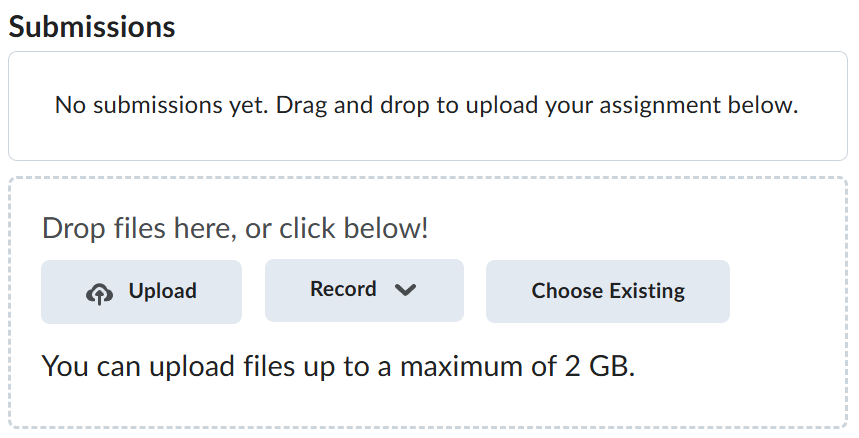
Navigate back to where the lab was originally downloaded, there should be a Submissions section (see below) where the zip file can be uploaded.